
I believe that every ambitious woman deserves a brand and website that not only reflects her passion but also drives meaningful connections with her audience. By crafting strategic, elegant designs, I help my clients bring their unique vision to life, allowing them to confidently show up, stand out, and thrive in a crowded marketplace.
CLIENT STORIES
BRANDING
WEB DESIGN
BUSINESS
Hi, I'm Jordan!
Browse by category

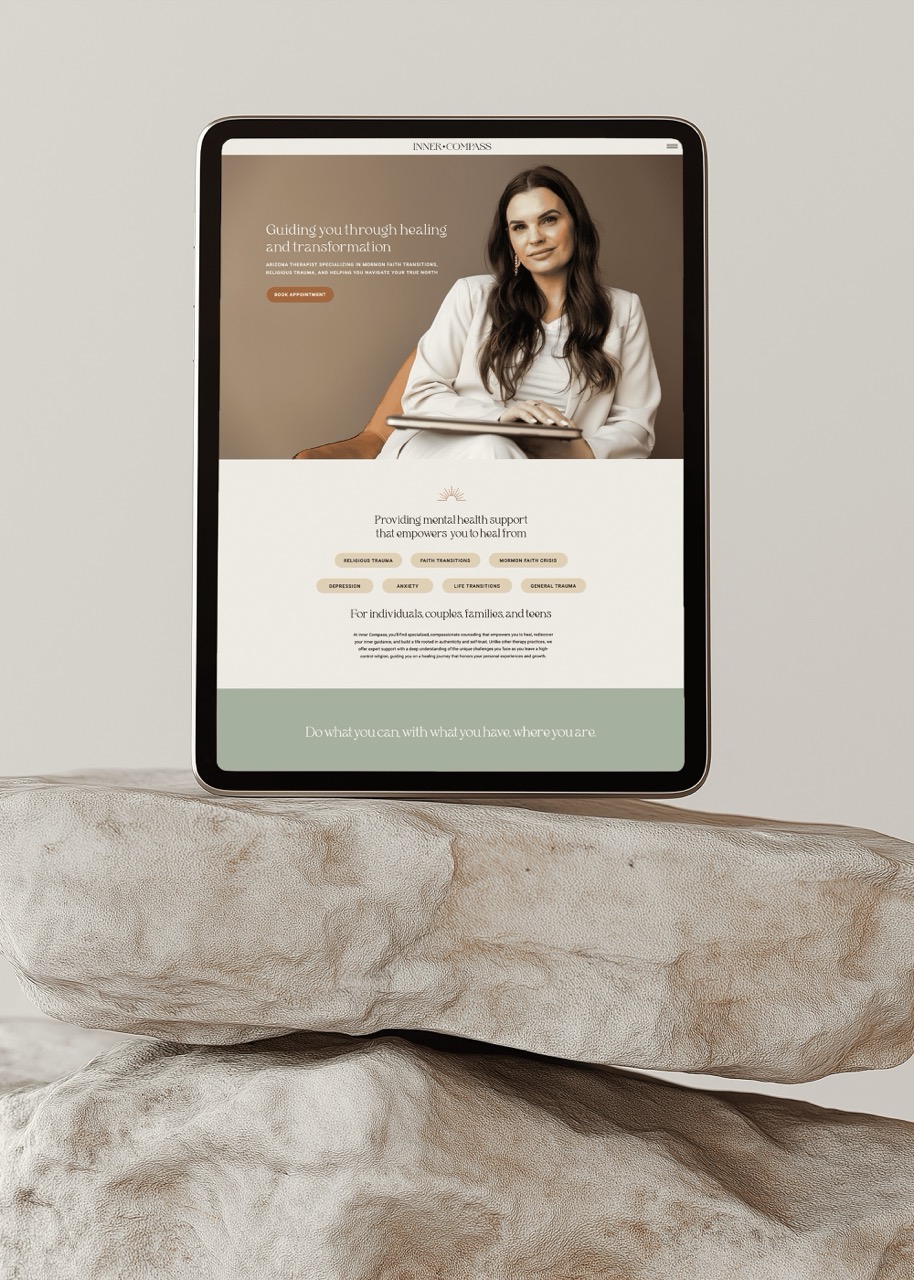
Best Website Builder for Therapists in 2026
Choosing the best website builder for therapists requires a lot more than picking something that looks nice. Because your goal should always be setting up your practice for long term growth with a site that books clients, ranks on Google, and doesn’t require a computer science degree to update.
I’ve worked with therapists who started on platforms that seemed simple at first, but hit a wall when they wanted to add a blog, customize their branding, or show up in local search results. And I’ve worked with therapists who invested in the right platform from the start and are now consistently booking clients through their website without spending hours on social media.
So if you’re launching a private practice or rebranding an existing one, this guide will walk you through the best website builders for therapists, compare website platforms, cover what to avoid, and help you choose the right builder that’ll support your growth.
What Makes a Website Builder Good for Therapists?
Before we get into comparing website platforms, let’s talk about what really matters for your private practice website.
1. SEO capability
If potential clients can’t find you on Google, your website isn’t doing its job. You need a platform that lets you optimize page titles, meta descriptions, and create SEO optimized blog posts so you can rank for keywords your clients are actively searching for.
2. Ease of use
You’re not a web developer, and you shouldn’t have to be. The right platform lets you make updates like changing your services, adding a new blog post, or updating images without needing to hire someone every time.
3. Branding flexibility
Your website should look like you, not like every other therapist in your area. That means custom fonts, colors, layouts, and the ability to create a site that feels warm and professional, no sterile or cookie cutter brands around here.
4. Local SEO
Most therapists serve a specific city or region, even if you offer virtual sessions. You need a platform that makes it easy to target local keywords, add location specific pages, and show up when someone in your area is searching for help.
5. Integrations
You’re probably using SimplePractice or another management system for booking and client communication. Your website needs to play nicely with those tools by embedding booking links, adding email signup forms from platforms like Flodesk, and connecting the pieces of your practice without a tech headache.
Now let’s talk about which platforms actually deliver on all of this.
The Two Best Website Builders for Therapists: Showit vs. Squarespace
After years of designing websites for therapists, I consistently recommend two platforms: Showit and Squarespace. Both are solid choices, but they’re great for different reasons.
Showit: The Best Choice for Long Term Growth
Showit is my top recommendation for therapists who want a website that grows with their practice. Here’s why:
1. You get a beautifully branded site that stands out
Showit gives you full design control, which means your website can look exactly how you want it to, instead of like a template with your name just slapped on it. Because the truth is, when potential clients are comparing therapists, a professional, branded site sets you apart. It signals that you’re established, trustworthy, and intentional about your practice.
2. The SEO is unmatched
Showit uses WordPress for the blog side, which is the gold standard for SEO. You can set page titles and meta descriptions for every page, use H1-H4 headings strategically, add schema markup (a behind the scenes code that helps Google understand your site), and create location specific blog posts that bring in local traffic. I’ve worked with licensed counselors who consistently rank on the first page of Google for topics their clients are actually searching for because they’re using Showit + WordPress to blog regularly and target the right keywords.
3. It’s easy to use, even if you’re not tech savvy
One of the biggest misconceptions about Showit is that it’s complicated. It’s not. Whether you’re working with a designer (like me) or using a template to DIY, Showit is drag and drop intuitive. I set my clients up with simple video tutorials so they can make edits like updating a service page or swapping out a photo without needing to call me every time.
4. You can integrate anything
Need to embed a SimplePractice booking link? Add a Flodesk email signup form? Connect a scheduling tool? Showit handles it with an embed code. It’s flexible enough to connect all the pieces of your practice in one place.
I worked with a therapist who was starting a group practice and came to me because her SimplePractice site wasn’t cutting it anymore. She wanted a branded site that reflected her expertise and a blog to attract clients through Google, but SimplePractice couldn’t deliver on either. We built her a custom Showit site that positioned her as the expert in her area, and now she has the foundation to grow her practice through SEO and email marketing.
Squarespace: A Solid Option with Built-In Email
Squarespace is another good choice, especially if you want something straightforward and need to launch quickly.
1. It’s user friendly and looks professional
Squarespace templates are clean and modern, and the platform is easier to navigate than most. You won’t get the same level of design freedom as Showit, but you’ll still end up with a site that looks polished and professional.
2. The SEO is solid
Squarespace doesn’t use WordPress for blogging, but it has a built-in blog feature that works well for SEO. You can optimize page titles, meta descriptions, and blog posts, and it’s easier to rank than platforms like Canva or SimplePractice. It’s not quite as powerful as Showit + WordPress, but it’ll get you results if you’re blogging consistently.
3. Built-in email marketing
This is Squarespace’s advantage, it has basic email marketing built into the platform. If you want to send a simple monthly newsletter or a few automated emails, you can do it without paying for a separate tool. That said, if you’re planning to do anything more robust like welcome sequences, segmented campaigns, or freebie delivery then you’re better off using Flodesk and getting much better results.
4. E-commerce capability
If you’re planning to sell courses, workshops, or digital products, Squarespace has built-in e-commerce features. You’d still need a dedicated course platform like Kajabi or Teachable for a full funnel, but Squarespace makes it easier to add a shop or payment link directly to your site. Showit doesn’t have built-in e-commerce, so you’d need to link out to Shopify or Kajabi.
I designed a Squarespace site for therapists who transitioned to relationship coaching and now sell courses. They started with Squarespace’s built-in email marketing, but once they started scaling, we moved them to Kajabi to handle their email campaigns and course delivery. The Squarespace site acts as their main hub by sharing their story, services, and positioning them as the go to experts in their niche.
So Which Website Builder Should Therapists Choose?
Choose Showit if
You want a highly branded and custom website that positions you as the expert in your area, you’re planning to blog consistently for SEO, and you’re thinking about long term growth. Showit gives you the most flexibility and the strongest SEO foundation, especially with WordPress powering your blog.
Choose Squarespace if
You want something simpler and need to launch fast, you’re planning to sell courses or products and want built-in e-commerce, or you’re just starting out and want a professional site without a steep learning curve.
My opinion? For most therapists, Showit is the better investment. The SEO advantage alone makes it worth it, and if you’re serious about growing your practice through your website (not just relying on referrals or Psychology Today), Showit sets you up for success.
Honorable Mentions and Why I Don’t Recommend Them
Let’s quickly cover the platforms I don’t recommend for therapists, and why.
SimplePractice
SimplePractice is great for managing your practice through scheduling, billing, and client notes. But the website builder is extremely limited. You can’t blog (which means no SEO), you can’t customize your branding beyond basic colors and fonts, and you’re stuck with a template that looks like every other SimplePractice site.
If you’re just starting out and need something free to get online, that’s totally fine. But if you’re thinking about growth, you’ll outgrow it fast. I’ve had clients come to me after months of frustration with SimplePractice’s website limitations, and moving them to Showit was like giving them a completely new business.
Canva Sites
Canva is amazing for graphics, but its website builder is bare bones. You can’t optimize for SEO (no control over page titles, meta descriptions, or blog setup), you can’t integrate tools like Flodesk or SimplePractice easily, and the sites look very DIY. If you want a one page site to share on Instagram then Canva works. If you want a site that books clients and ranks on Google, it doesn’t.
WordPress (without a designer)
WordPress is powerful, but it’s also complicated. If you don’t have design or developer skills, you’ll spend hours trying to figure out plugins, themes, and settings, and you’ll likely end up with a site that looks clunky or never gets finished. I’ve seen brilliant therapists waste months trying to DIY a WordPress site when they could’ve been seeing clients.
If you hire a designer to build on WordPress, great. But if you’re doing it yourself, you’re better off with Showit or Squarespace.
My Recommendation for The Best Website Builder for Therapists
If you’re serious about growing your practice and want a website that works for you (not against you), go with Showit.
It gives you the best of everything, a beautifully branded site that reflects your expertise, the SEO power of WordPress to bring in clients through Google, and the ease of use to make updates without needing a developer on speed dial.
I’ve worked with therapists who’ve built their entire practices on the foundation of a great Showit website. They blog consistently, show up on the first page of Google for local searches, and use their email list to nurture potential clients. Their websites look good and actually book clients.
If you’re not ready to invest in Showit or you need to launch quickly, Squarespace is a solid second choice. But if you’re thinking long term then Showit is the platform that’ll grow with you.
What Happens After You Choose Your Platform?
Choosing the right website builder is step one. Here’s what comes next:
1. Set up your branding
Your fonts, colors, logo, and overall visual identity should be consistent across your website, business cards, and any other materials. A branded site sets you apart and makes you memorable.
2. Design your site
You can DIY with a template or hire a designer to create a custom site that reflects your expertise and attracts your ideal clients. If you want a site that’s truly branded and positions you as the expert in your area, working with a designer is worth the investment.
3. Start blogging for SEO
Once your site is live, the real work begins, creating content that helps you rank on Google and attract clients. Blog consistently about topics your ideal clients are searching for, and optimize every post for local SEO.
4. Build your email list
Your website should capture emails so you can stay in touch with potential clients. Set up a simple freebie (my favorite for therapists is a guided email course with journal prompts) and use email marketing to nurture those leads until they’re ready to book.
If this sounds like a lot, it is. But it’s also how you build a practice that doesn’t rely solely on referrals or third party platforms. And if you don’t have time to handle the marketing side yourself, that’s exactly why I offer monthly marketing support, I research, write, design, and publish your blog posts and emails every month so you can focus on your clients.
Frequently Asked Questions About Therapy Website Builders
1. How do I make my therapist website show up on Google?
The simplest way is to start a blog and write about topics your ideal clients are actually searching for. Focus on your location and your specialties like EMDR, psychotherapy or prenatal therapy. Google rewards websites that consistently add helpful content, so posting regularly matters more than posting perfectly.
Can I switch website builders later if I outgrow my current one?
Yes. If you start on a basic platform and later want to move to Showit or Squarespace, you can. You’ll need to rebuild the design, but your content (blog posts, photos, service descriptions) can come with you. Just know that switching takes time and planning, which is why starting with the right website builder from the beginning saves you the hassle later.
How long does it take to build a therapist website?
With a designer, expect 4-8 weeks from start to launch. DIYing with a template on Showit or Squarespace for your website could take 1-2 weeks if you’re focused, but most people take 4-6 weeks. The timeline depends on how much content you have ready and if your copy, service descriptions, and photos are done then the process moves much faster.
Can I add a booking system to my therapist website?
Yes. Most websites can easily integrate SimplePractice, TherapyNotes, or other practice management systems. On Showit and Squarespace, you can add your booking link as a button or embed the scheduling page directly on your site. Tools like Calendly or Acuity Scheduling work just as easily.
Do I need to know how to code to build a therapist website?
No. Showit and Squarespace are drag and drop platforms designed for people without coding skills. WordPress is much more technical, unless you’re hiring a designer, so I don’t recommend it for therapists managing their own website.
Do I need a custom domain for my therapist website?
Yes. A custom domain (like yourname.com) looks professional, builds trust, and helps with SEO. Google will take your website more seriously with a custom domain instead of a generic subdomain. Domains cost $10-20/year, and both Showit and Squarespace make it easy to connect one. If you’re serious about growing your practice then invest in a custom domain from day one.
Ready to Build a Website That Actually Books Clients?
Your website should be working for you by bringing in clients, ranking on Google, and positioning you as the go to therapist in your area. If you’re ready to invest in a custom Showit website that’s branded and built for growth, I’d love to help.
I specialize in custom web design and marketing for therapists, and I’ll set you up with a site that’s easy to update, optimized for SEO, and designed to convert visitors into clients. Check out my services here or book a free consult to talk through what your practice needs.
Leave a Reply Cancel reply
Ready for a brand + website that actually feels like you?
If you're tired of cringing every time someone asks for your website, or if you've been putting off your rebrand because it feels overwhelming, let's talk. Book a free consultation call and we'll figure out what you need.
a
Branding, websites, and marketing support that helps you connect with your ideal clients.
the SITE
@SEPTEMBERSTUDIO.CO
BACK TO TOP
Terms of Service
Copyright September Studio Co 2025
Privacy Policy

